
A guide for dealers on Trinity
Getting Started with Trinity
How firearms dealers on Trinity actually get sales, what works, what does not, and what to set up in your first weeks
You have a new store. It looks good, the catalog is full, and the checkout works. Here is the honest part: that is the beginning, not the finish line. A website nobody can find, with prices nobody will pay, sells nothing. The stores on Trinity that sell every day did five or six specific things, most of them in their first two weeks. This guide is those things, with the real numbers behind them.
Everything here comes from stores running on Trinity in 2026: our own store, which we run on the same platform you do, and the dealers we host. No dealer is named. The numbers are from the platform itself, not from a brochure.
We built Trinity to be the most powerful ecommerce platform a firearms dealer can run, at a price a single store can afford. The platform does the heavy lifting: live distributor feeds, pricing rules, FFL handling, MAP compliance, marketplace listings, fraud screening and the price comparison feeds. What it cannot do is sign you up for Google, pick your prices or decide what shipping to charge. Those are yours, and they decide whether you sell.
The short version
- Connect every distributor you have an account with. Three distributors give you 36,000 to 42,000 items in stock. Seven or eight give you 55,000 to 82,000. Our own store runs 22 and shows 115,000.
- Be competitive on price. Online shoppers sort by price. A new store that was priced above the field took 1.4 orders a day. After it cut its markups it took 8.2 a day.
- Keep shipping sized to the item. A $23.95 flat rate on a $38 box of ammo ends the sale. Stores with the highest shipping in our fleet have the fewest web orders.
- Get on the price comparison sites. gun.deals and WikiArms bring 40 percent of our own store's web orders and 70 percent of a new store's.
- Set up Google and Bing properly. Google is the number one source of visitors on every store once it is indexed. It takes weeks, so start on day one.
- Use the marketplaces. GunBroker brings our own store more orders than its website does. Guns.com and eBay add more.
- Expect customers to ask for discounts, and expect MAP notices. Both are normal. This guide tells you what to say and what to do.
- Give it time. Our own store took five months to find its level. Promote it, watch the numbers, and keep adjusting.
Each chapter below goes into one of these, with the numbers, the setup steps and the Help Center articles that walk you through each screen.
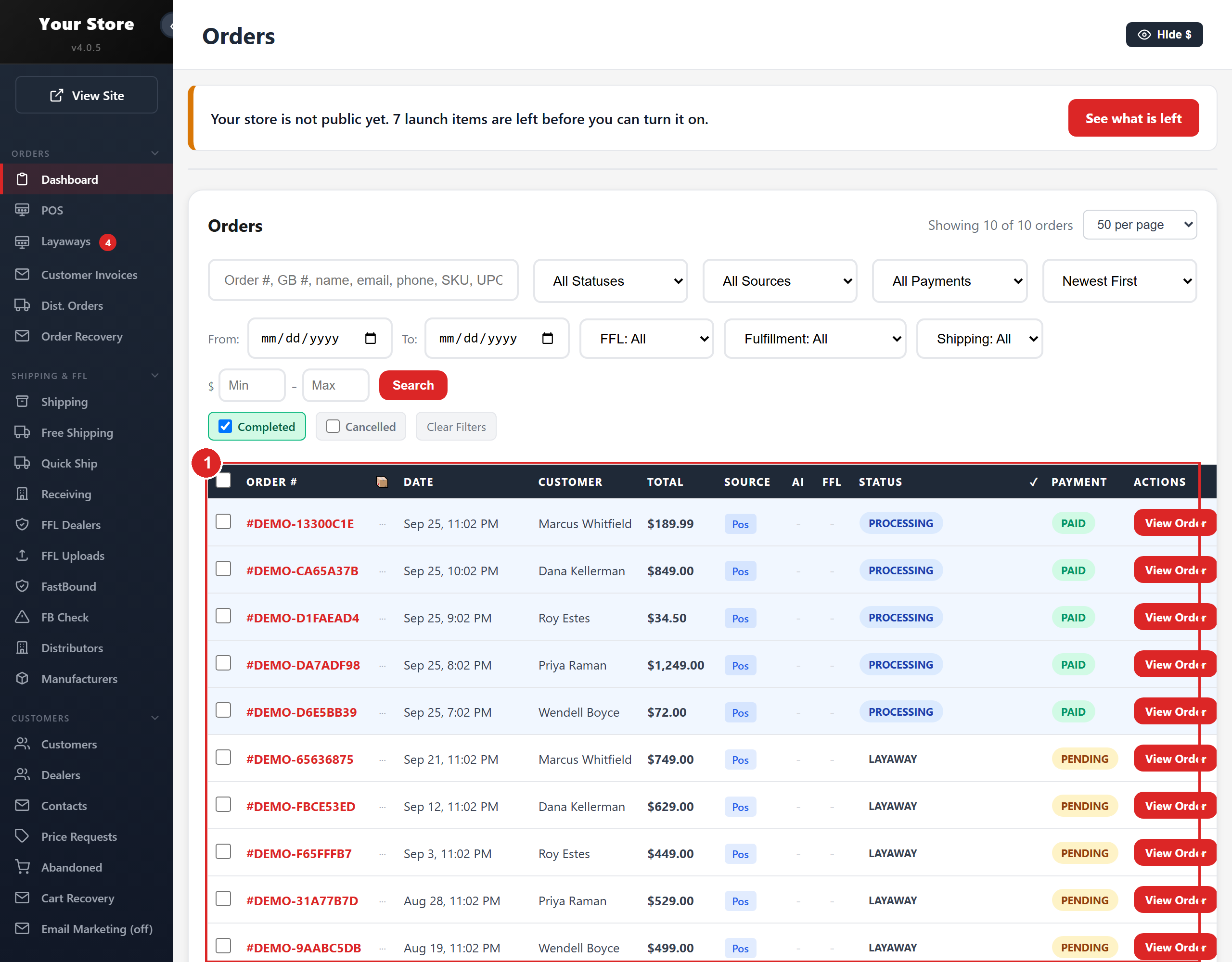
- 1Every order in one list, with its source (website, GunBroker, phone), FFL, payment and status
The chapters
- 1. Where the orders come fromReal order and traffic numbers from our own store and the dealers we host, by channel and by type of store.
- 2. Your first two weeksThe checklist that gets a new store selling quickly, in the order that works.
- 3. Connect every distributorWhy the number of distributors you connect decides the size of your store, and what each one needs.
- 4. Setting your pricesHow prices work on Trinity, what the stores that sell charge, and what MAP means for you.
- 5. Shipping fees that do not kill the saleWhat stores charge, what shoppers will pay, and the shipping settings that work.
- 6. The price comparison sitesgun.deals, WikiArms, AmmoSeek, Gun Made and HighCapDeals: what each brings, what it costs, and how to get listed.
- 7. Google, Bing and the search enginesSearch Console, Bing Webmaster Tools, IndexNow, your sitemap and Google Analytics: free, and worth more than any ad.
- 8. Google Merchant CenterFree product listings on Google for the items Google allows, and what it will refuse.
- 9. GunBroker, Guns.com, eBay and WalmartEach marketplace reaches buyers your website never sees. What they bring, what they cost, how to connect them.
- 10. What customers will doWhat online gun buyers actually ask for, how often it turns into a sale, and what we say.
- 11. Running the store day to dayPrinting, packing slips and invoices, the bound book, what happens when an item cannot drop ship, and the emails your customer gets at each status.
- 12. MAP notices: what to expectManufacturers watch your prices. What a notice looks like, what causes it, and how to clear it in an hour.
- 13. Fraud: with NoFraud and without itWhat fraud looks like on a gun store, what the platform blocks on its own, and what NoFraud adds.
- 14. It takes timeHow our own store grew month by month, and the 30, 60 and 90 day rhythm that works.
- 15. Where to get helpThe Help Center inside your admin, the public knowledge base, and how to reach us.