
Getting Started with Trinity · Chapter 6 of 15
The price comparison sites
These sites are where online gun buyers compare prices. Your store builds a feed for each of them automatically; your job is to sign up with the site and give it the feed address. They are third party services with their own fees. Ask each one for current pricing before you sign up. Gun Made is the exception: it is free, and every 2AData dealer is already sent to it.





gun.deals
The biggest. On our own store it brings 29 percent of web orders and 5,200 visits a month. On the firearms only dealer it brings 52 percent of orders and 15,000 visits a month. On a new store it is most of the first month's sales. Shoppers arrive on your product page from a price sorted list, 60 percent on a phone.
- Open Gun.Deals in your admin (left menu, under Data Feeds; the page is Gun.Deals Feed Settings), turn on the feed, save, copy the Feed URL. See Get your products listed on gun.deals.
- Apply at gun.deals as a store and give them that URL. Once you are listed, the feed page shows when they last pulled it and when the next pull is expected.
- Set what the feed sends: firearms only or everything, out of stock items or not, and the shipping text the shopper sees.
- Check that it is being pulled. Two of our stores built a perfect feed for weeks and never applied; gun.deals never fetched it and they got nothing from it.
Items with MAP go out at MAP, or as "Email for price" where the brand requires it. Shoppers on gun.deals know what that means. See When will gun.deals pick up my new prices?.
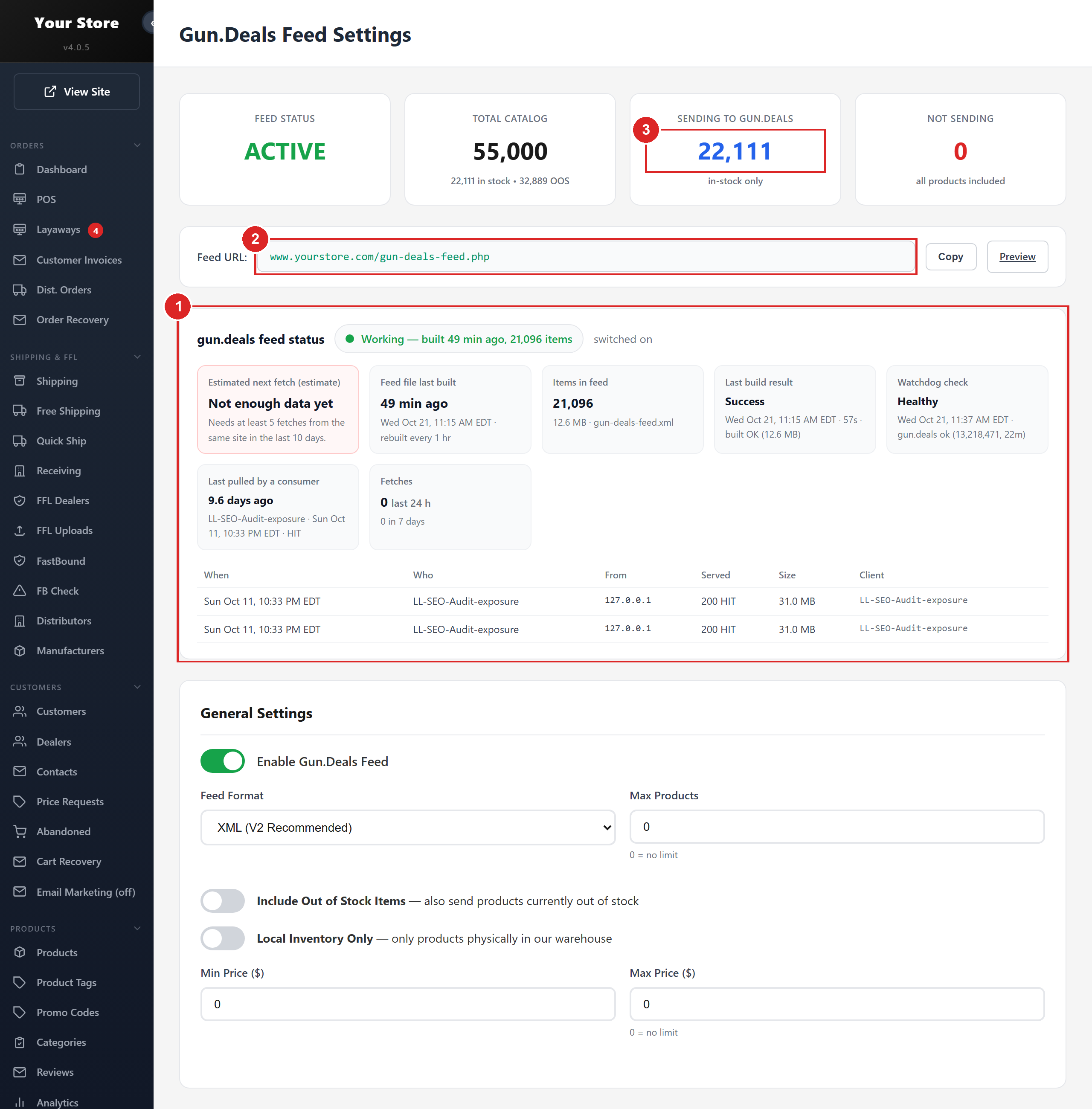
- 1Feed status: last build, items sending, and when gun.deals last pulled it
- 2The feed URL you give gun.deals when you apply
- 3How many items are going out, and why the rest are not
WikiArms
Firearms, ammunition and accessories, sorted by price. 11 percent of our own store's web orders, 1,700 visits a month, and 30 percent of the new store's orders. Same setup: turn on the feed under WikiArms (left menu, under Data Feeds), copy the URL, sign up at wikiarms.com as a dealer and give it to them.
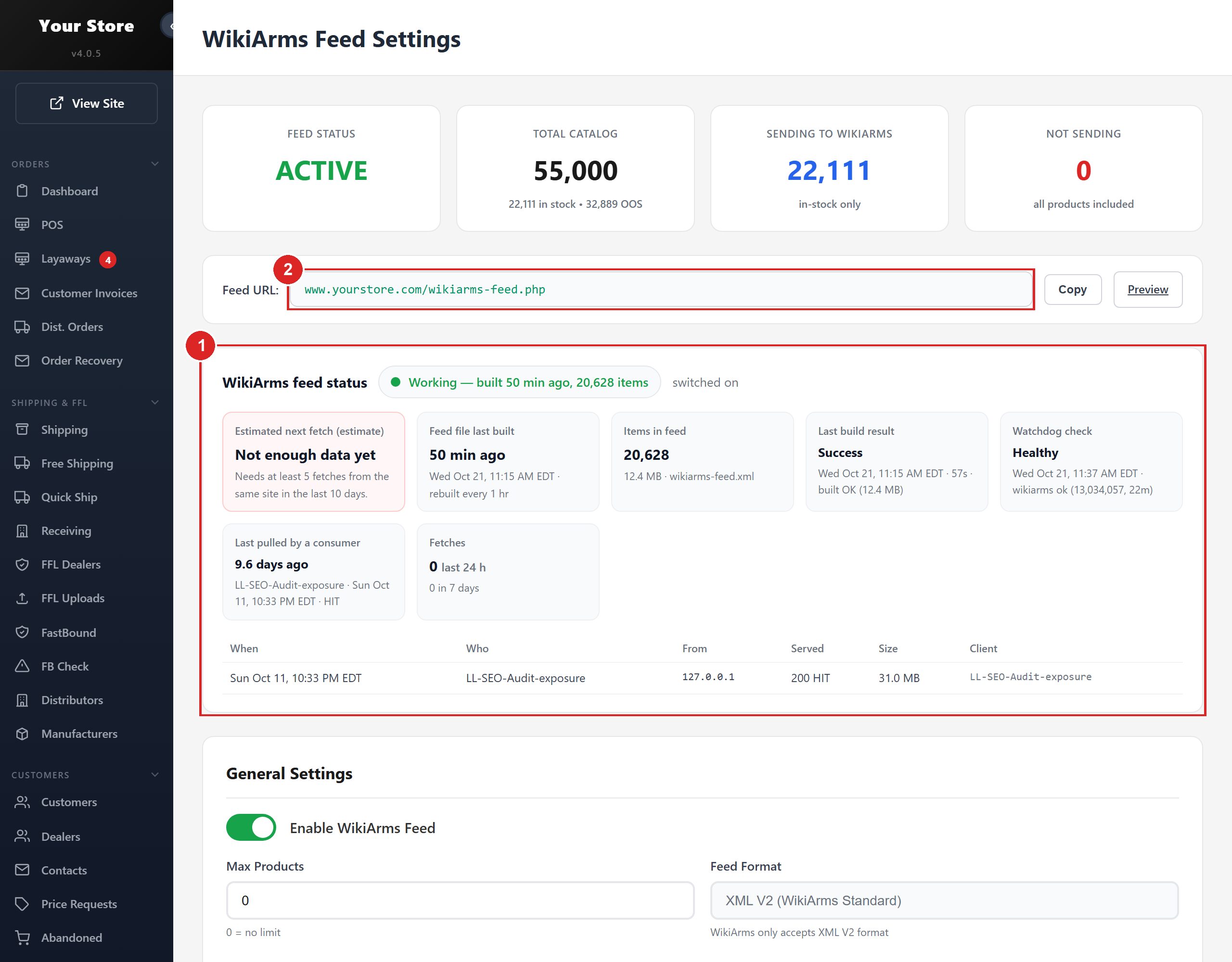
- 1Feed status and last build
- 2The feed URL to give WikiArms when you sign up as a dealer
AmmoSeek
Ammunition and reloading only, checked every few minutes. Worth it if ammunition is part of your business. Turn on the feed under AmmoSeek (left menu, under Data Feeds), pick the product types, copy the URL and give it to AmmoSeek when you sign up. See List your products on AmmoSeek. Every listing is checked for round count and price per round before it goes out; a wrong price on a comparison site is worse than a missing one.
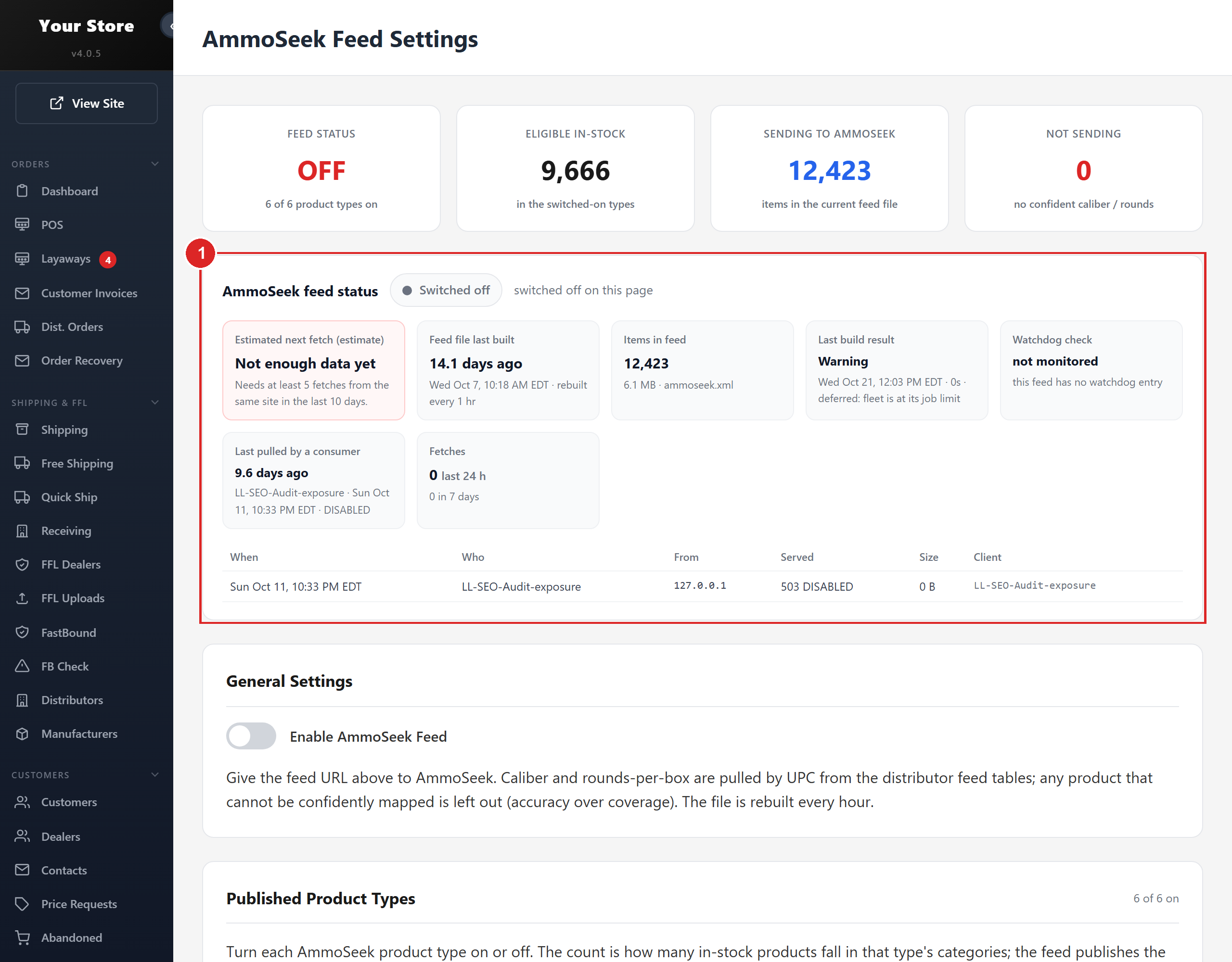
- 1Feed status: when it was last built and how many listings went out
Gun Made
A free gun search engine that lists dealers across the country. 2AData sends one feed for all of its dealers, so your store is already included. If you want your shop to appear in Gun Made's local search with your address, email us and we switch that on.
HighCapDeals
Our own deal site, highcapdeals.com. It lists dealers from the same gun.deals feed and shows the lowest price on each item across the dealers on it. Dealers on an affiliate network list free with a revenue share; flat plans with no commission start at $199 a month. Ask us about it.
What they all have in common
- They sort by price. Your markups decide your rank.
- They show your shipping. Keep it honest and sized to the item.
- They honor MAP through your feed. Trinity never sends a number below MAP.
- The feeds rebuild every hour from live stock, so a sold out item drops off before a shopper clicks it.